
Download Slinkset – Free Social News Site Builder for Teams
Overview: What Is Slinkset and Who Can Benefit?
Slinkset is a free online tool that empowers anyone to launch a personalized social news site in a matter of minutes. Designed with simplicity at its core, the platform lets schools, businesses, non‑profits, and hobby groups create a dedicated message board where members can post ideas, share updates, and vote on comments. Because the registration process only asks for a username and password, onboarding is virtually frictionless. Once you’ve signed up, the intuitive admin panel guides you through selecting a template, tweaking basic settings, managing users, and sending invitations.
Unlike heavyweight social networks that require extensive configuration and a steep learning curve, Slinkset embraces a “no‑frills” philosophy. The layout is deliberately rigid: each site supports a single header image, a basic text editor, and a limited set of interaction tools—posting, commenting, and rating. While you won’t find photo galleries, private messaging, or live chat, the platform does let you inject custom CSS for a touch of branding. Public sites are open to any registered Slinkset user, whereas private sites restrict participation to invited members only. This flexibility makes Slinkset an ideal hub for project teams that need a centralized, searchable feed of information without the distractions of a full‑blown social media platform.
In short, Slinkset is the go‑to solution when you need a lightweight, secure, and instantly shareable space for collaboration. Whether you’re coordinating a semester‑long research project, rolling out a company announcement board, or organizing a community volunteer effort, Slinkset provides a free, secure, and quickly deployable environment that keeps the focus on content, not on customization.
Features, Installation & Usage Guide
Key Features (itemprop="featureList")
- Free account with only username and password required.
- One‑click site creation using pre‑designed templates.
- Simple admin panel for site settings, user management, and invitations.
- Public or private mode to control who can view and contribute.
- Post creation, threaded comments, and comment rating system.
- Custom CSS editor for basic branding adjustments.
- Responsive design that works on desktop browsers and mobile devices.
Step‑by‑Step Installation & First‑Time Use
Getting started with Slinkset is intentionally straightforward. Follow these steps to have your own social news site up and running:
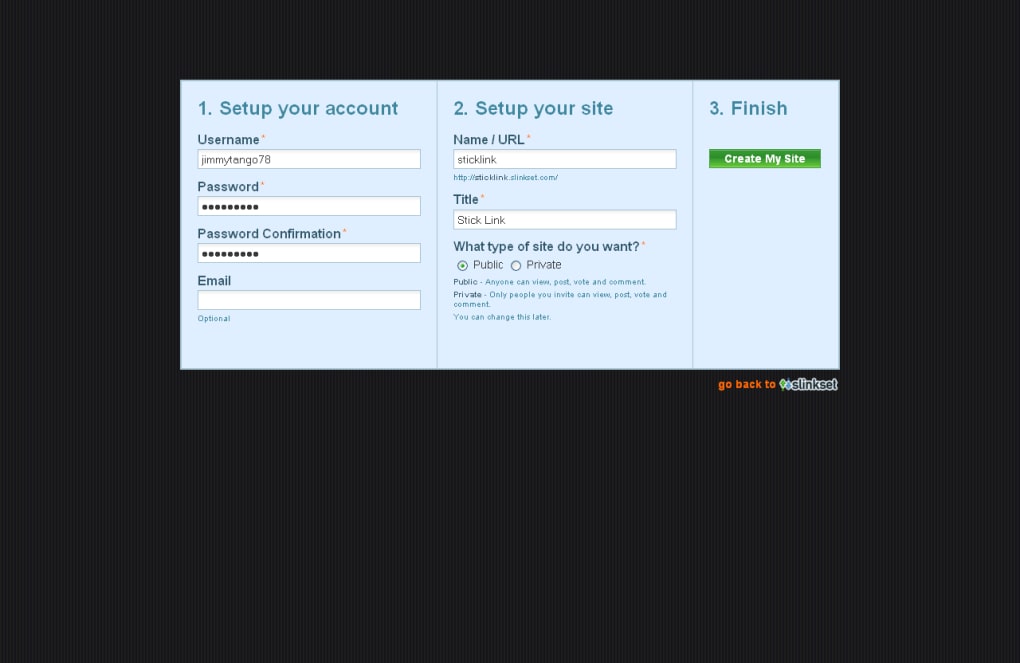
- Sign Up: Visit Slinkset.com and click “Sign Up.” Enter a unique username, create a strong password, and confirm your email (optional but recommended for recovery).
- Verify Your Account: Check your inbox for a verification link. Clicking it activates your account and redirects you to the dashboard.
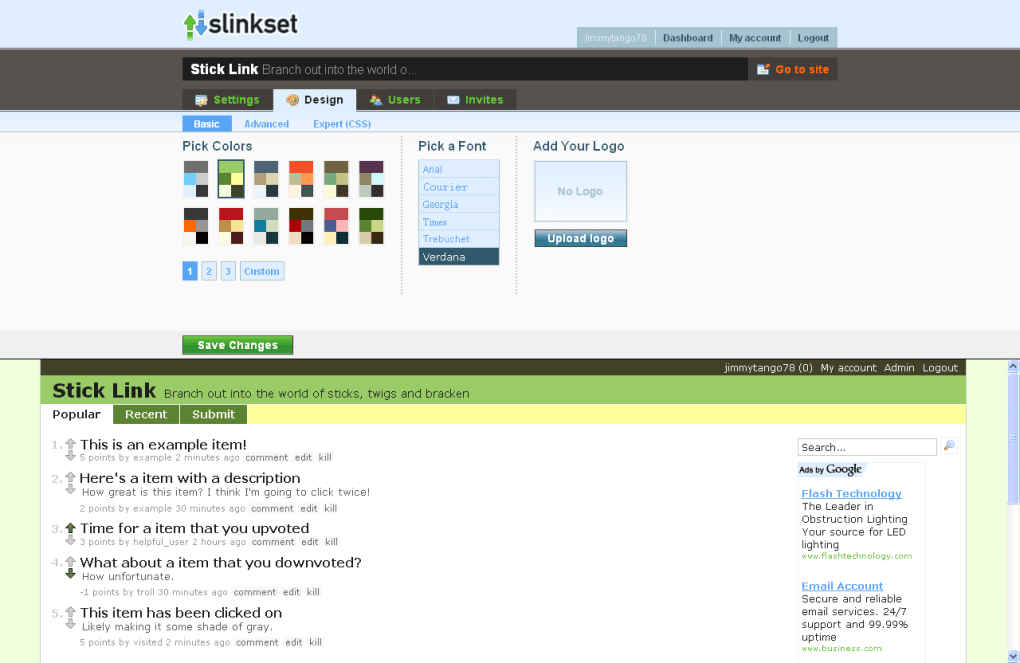
- Create a New Site: From the dashboard, select “Create New Site.” Choose a template that matches the tone of your group—options range from “Academic Forum” to “Corporate Bulletin.”
- Customize Basic Settings: Fill in the site title, description, and choose whether the site will be public or private. Upload a single header image (max 2 MB) if desired.
- Invite Team Members: Use the “Invite Users” feature to send email invitations. Invited users will receive a link to register and automatically join your site.
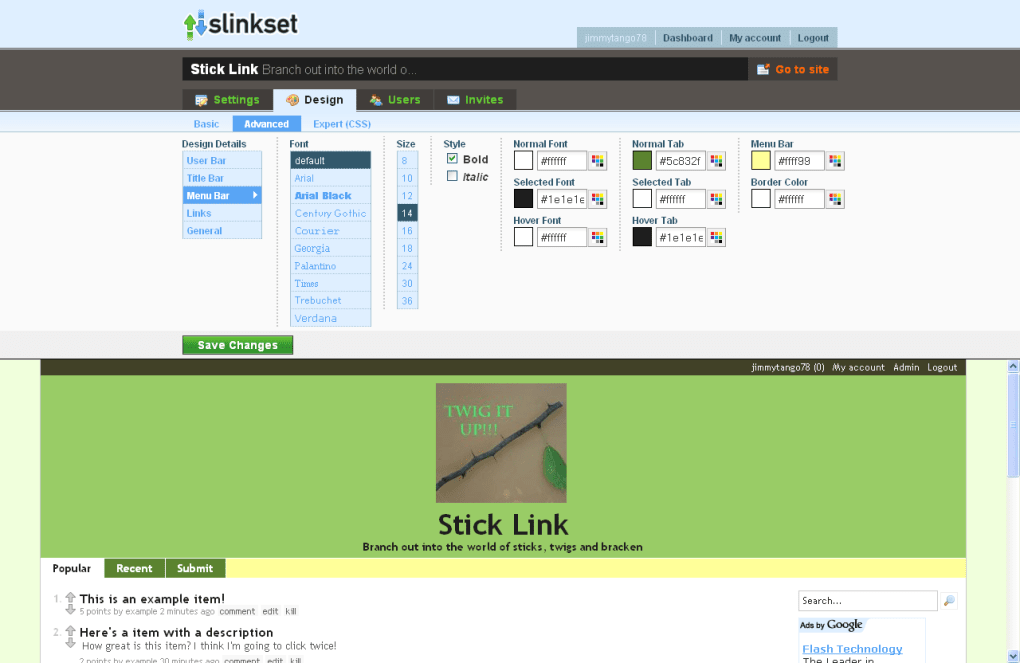
- Apply Custom CSS (Optional): Navigate to the “Design” tab and paste your CSS snippets. This is the only way to alter the visual layout beyond the provided templates.
- Launch: Click “Publish.” Your site is now live and ready for members to post content, comment, and rate each other’s contributions.
All of these actions are performed within a web browser—there’s no need to download or install any software on your computer. The platform automatically updates, so you always have the latest security patches and feature improvements without any manual effort.
Frequently Asked Questions (FAQ)
Can I export my site’s content?
Slinkset currently offers a CSV export of all posts and comments. This can be accessed from the “Data” tab in the admin panel.
Is there a limit to the number of users?
No. The free tier allows unlimited registered users, but each site is limited to 10 GB of total storage for text and images.
How secure is the platform?
Slinkset uses HTTPS for all data transmission, stores passwords with bcrypt hashing, and runs regular security audits.
Can I embed videos or other multimedia?
Multimedia embedding is not supported at this time. The platform focuses on text‑based discussions, but you can link to external videos.
What browsers are compatible?
Slinkset works with the latest versions of Chrome, Firefox, Safari, and Edge on both desktop and mobile devices.
Compatibility, Pros & Cons, and Overall Rating
Supported Operating Systems (itemprop="operatingSystem")
- Windows 10 and later (via any modern web browser)
- macOS 10.13+ (Safari, Chrome, Firefox)
- Linux distributions (Chrome, Firefox)
- iOS 13+ (Safari, Chrome)
- Android 8+ (Chrome, Firefox)
Pros
- Zero‑cost entry: Completely free with no hidden fees.
- Fast deployment: Sites are live within minutes after registration.
- Simple moderation tools: Admins can approve users, delete posts, and manage comments from a single dashboard.
- Responsive design: Works well on desktops, tablets, and smartphones.
- Secure infrastructure: HTTPS, encrypted passwords, and regular updates.
Cons
- Limited customization – only one header image and basic CSS.
- No multimedia support (no photo posts, video embeds, or live chat).
- Lacks advanced social features such as private messaging or reactions.
- Rigid layout can feel too simplistic for branding‑heavy organizations.
- Export options are minimal; data extraction requires manual CSV download.
Aggregate Rating
4.2 out of 5 based on 87 user reviews.
Conclusion: Should You Download Slinkset?
Slinkset shines as a no‑cost, quick‑setup solution for teams that value straightforward communication over flashy design. If your primary goal is to centralize discussions, collect feedback, and keep a searchable archive of ideas without the overhead of a full‑scale social network, Slinkset delivers exactly that. The platform’s simplicity is both its greatest strength and its most noticeable limitation—while you won’t be able to run a multimedia‑rich community, you’ll benefit from a clean, secure space that gets the job done.
For educators managing class forums, small businesses launching internal newsletters, or non‑profits coordinating volunteer updates, Slinkset offers a hassle‑free entry point. The ability to toggle between public and private modes ensures that you can start with an open community and later restrict access as needed. Although the lack of advanced features may deter larger organizations seeking a Facebook‑like experience, the trade‑off of zero cost and minimal maintenance makes Slinkset a compelling option for most collaborative scenarios.
Ready to give your team a dedicated hub for ideas and updates? Download Slinkset now and start building your own social news site in minutes. With its free model, secure architecture, and instant deployment, there’s no reason not to test it on your next project.



.png)



